Uniqueness check#
The uniqueness check rejects any push that introduces a Protobuf type name or .proto file path already used by another module on the same BSR.
Without it, resolving a type name or file path across modules becomes ambiguous; instance-wide features like server reflection, the BSR reflection API, and generated SDK indexing depend on that resolution being unambiguous.
The check has two independent scopes: one applied to the entire BSR instance, and one scoped to a single organization.
Two scopes: instance and organization#
| Scope | Configured by | Plan gating | Default | Can be disabled |
|---|---|---|---|---|
| Instance-wide | BSR admin | Enterprise | On | Yes |
| Organization-wide | Org admin | All plans | On for new organizations | No |
The instance-wide check runs across every module on the BSR instance regardless of organization. The organization-wide check runs across the modules within a single organization. Both checks can be active at once; pushes have to satisfy whichever scopes apply.
How the check runs#
The BSR enforces uniqueness only on commits pushed to a default label.
A push that introduces a duplicate type name or .proto file path is rejected at push time: it doesn’t enter the review flow, doesn’t land in a pending state, and never appears as a commit on the BSR.
Buf-managed modules are exempt; collisions involving only managed modules don’t fail the check.
Enable the check#
If your instance or organization was created before uniqueness was on by default, or you previously disabled it, turning it on is a three-step process:
- Scan for collisions.
- Resolve any collisions found.
- Flip the toggle.
The toggle stays disabled until the scan reports no collisions.
Scan for collisions#
The scan walks every commit on the default label of every module in the scope (skipping exempt modules) and produces two lists: type-name collisions and file-path collisions.
-
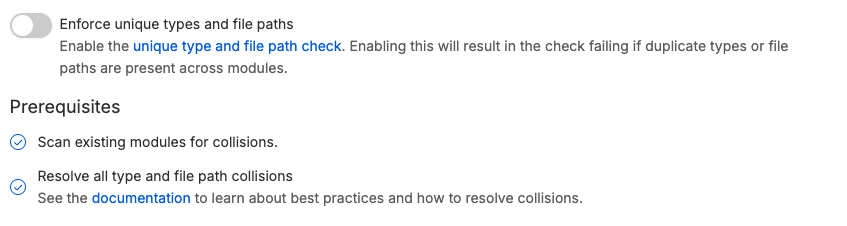
Open the Checks section. The exact path depends on the scope:
- Instance:
https://your-bsr-instance.example.com/admin/checks. - Organization:
https://your-bsr-instance.example.com/<organization>/settings/general.
- Instance:
-
Under Unique types and filepaths, click the link in the Prerequisites row to start the scan, then confirm in the prompt.
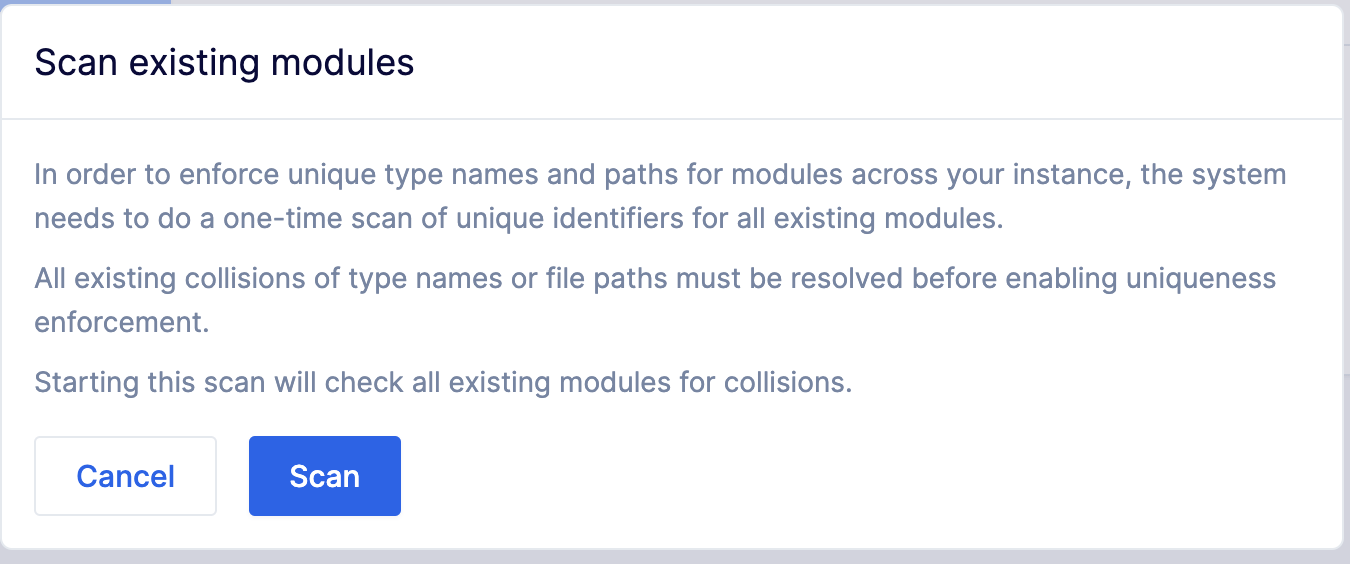
When the scan completes, the panel lists every type and path collision still present.

Resolve collisions#
Resolve each collision and push the corrected commits. The two cleanest fixes, applied in order:
- Rename the offending package. Most collisions come from generic type names (
Address,User,Status) sitting in packages that don’t disambiguate them. A package convention like<organization>.<purpose>.<version>(company.inventory.v1.Addressvs.company.register.v1.Address) resolves almost every collision. - Align file paths with the package. Once packages are unique, file paths typically need to follow:
company.inventory.v1.Addressshould live atcompany/inventory/v1/address.proto.
For background on naming conventions and file layout, see the style guide, package recommendations, and file naming recommendations.
Turn the toggle on#
After every collision is resolved and the corrected commits are pushed:
- Return to the Checks section.
-
Turn the Enforce unique types and file paths toggle on.
The check is now active for the scope.
Disable the instance-wide check#
The instance-wide check can be disabled by a BSR admin to allow duplicate type names or file paths across modules. The organization-wide check can’t be disabled.
- Open the admin panel and select Checks under Settings.
-
Turn the Enforce unique types and file paths toggle off.

Modules exempt from this check#
The BSR ignores Buf-managed modules when scanning and enforcing uniqueness. Their sources aren’t owned by the BSR’s administrators or users, so they’re treated as a shared baseline rather than as competing modules.
Practical consequence: each consumer can keep their own copy of a managed module’s types and file paths without triggering a collision.
The BSR still reports collisions across two or more non-managed modules, even when the same name or file path is also present in a managed module.