Customize the BSR homepage#
A private BSR instance ships with the same homepage layout as the public BSR at buf.build. Instance admins can swap that layout for one tailored to your users by changing the sidebar, adding a Markdown getting-started guide, hiding the curated popular-repositories list, or pinning groups of organizations and repositories to the page.
What you can change#
- Sidebar
- Show or hide the user information sidebar. On instances where only admins create organizations and repositories, the sidebar adds little, and hiding it makes room for the getting-started guide and pinned groups below.
- Getting-started guide
- Markdown content rendered at the top of the homepage. Uses the same Markdown renderer as the rest of the site (no homepage-specific subset). A separate guide for unauthenticated visitors is configurable but only appears when public access is enabled on the instance.
- Popular Repositories
- A short Buf-curated list, today:
googleapis/googleapis,bufbuild/registry, andbufbuild/protovalidate. Can be hidden. - Custom groups
- Curated sets of organizations or repositories from this instance, useful for pointing users at the resources they should land on first. Groups can be reordered relative to Popular Repositories and the rest of the page.
Customize the homepage#
Access required: instance admin.
- Open the Admin panel from the dropdown under your username in the top-right corner.
- Select Home page in the side menu.
-
Add or edit sections.
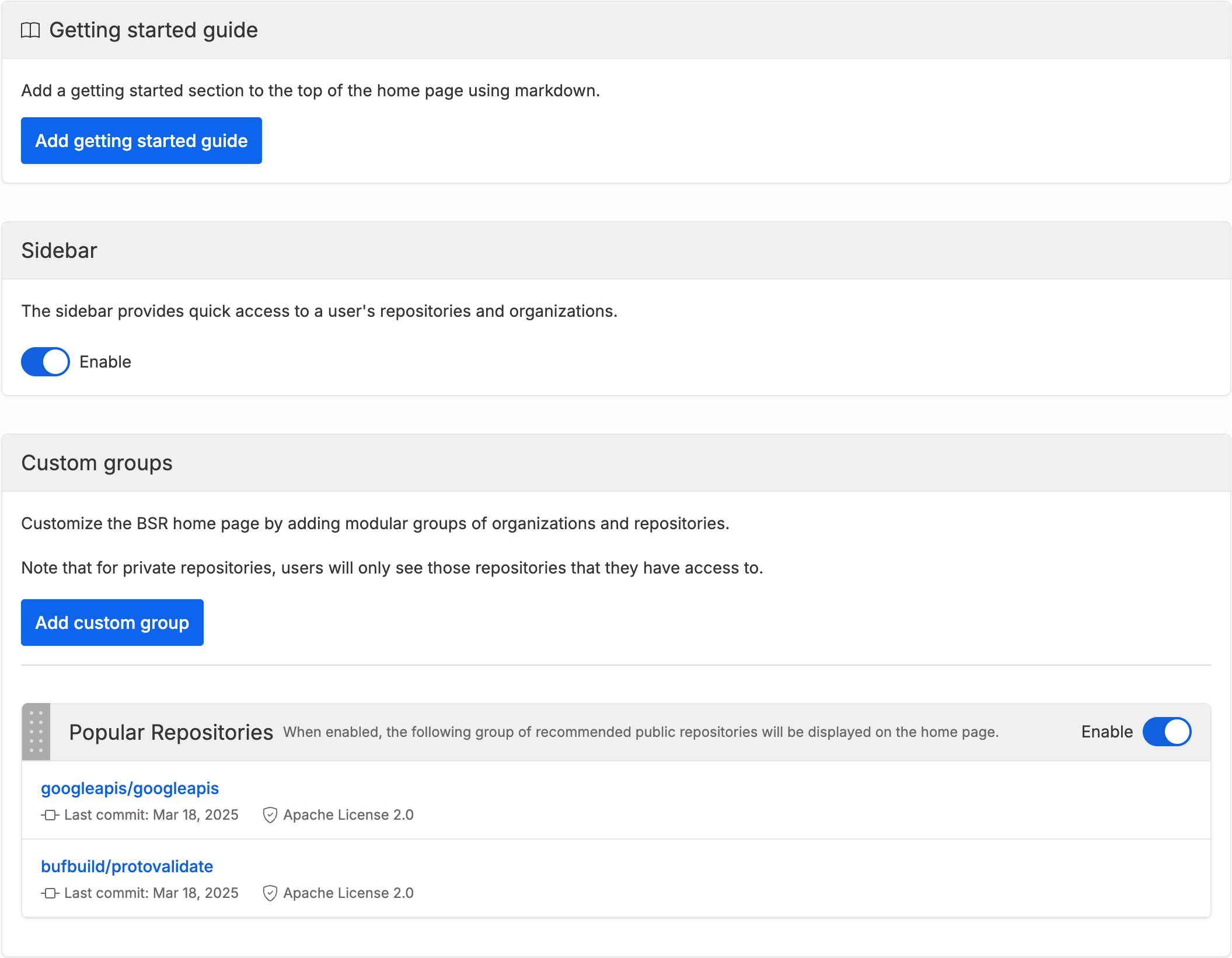
Sidebar changes and group reordering apply as soon as you save. The getting-started guide has its own Publish button; nothing in the guide goes live until you publish it.
Example#
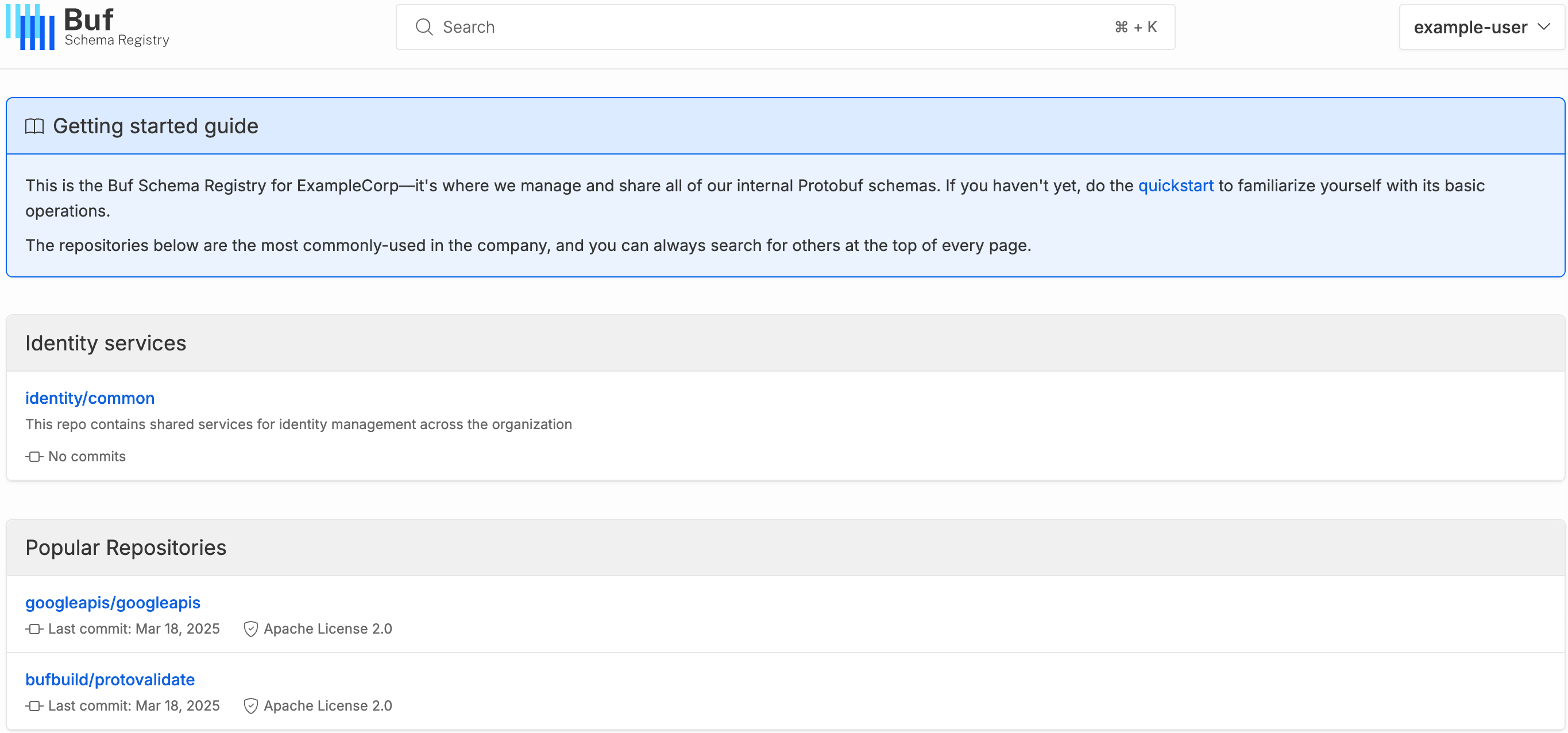
The example below adds a getting-started guide for authenticated users, hides the user information sidebar, adds a custom group, and moves it above Popular Repositories:
Related#
- Pro and Enterprise setup: provision a private BSR instance and assign instance admins.