Review commits#
Available on Enterprise plans, on a dedicated or private BSR instance.
The BSR review flow holds commits that fail a configured check until a human approves or rejects them. This protects downstream consumers (workspaces and clients that depend on the module) from breaking schema changes while still letting deliberate exceptions through.
How review flow works#
When a developer pushes a commit that fails a configured check, the push succeeds but the commit lands in a pending state. The default label doesn’t advance to a pending commit, so consumers reading from the default label continue to receive the previous approved commit. Clients pulling by an explicit commit hash, or by a non-default label that already pointed at the commit, still resolve to it.
Two kinds of check failure flow through review:
- Breaking-change failures under the breaking change check.
- Lint or breaking-change failures triggered by an applied policy.
Uniqueness check failures are different: those are rejected at push time and never enter the review flow.
What the committer sees#
buf push exits successfully when a commit lands in pending state.
The CLI prints a warning message indicating the commit is pending review; the commit hash appears in normal buf push output.
Notifications#
When a commit becomes pending:
- The CLI prints a warning to the committer.
- Repository or module owners and admins see the pending commit in the BSR’s reviewer Inbox (the inbox icon next to the username, top right) and receive an email.
- Every user opening the repository sees a banner indicating the repository requires attention.
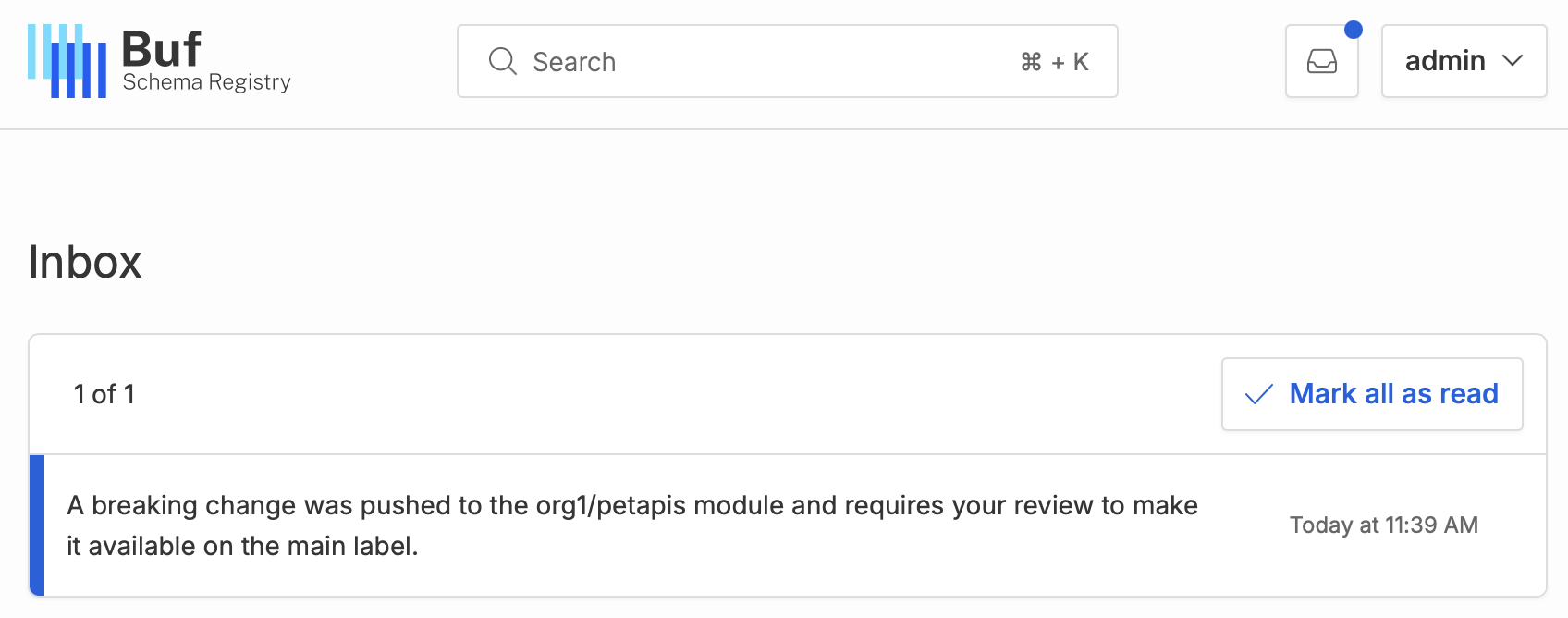
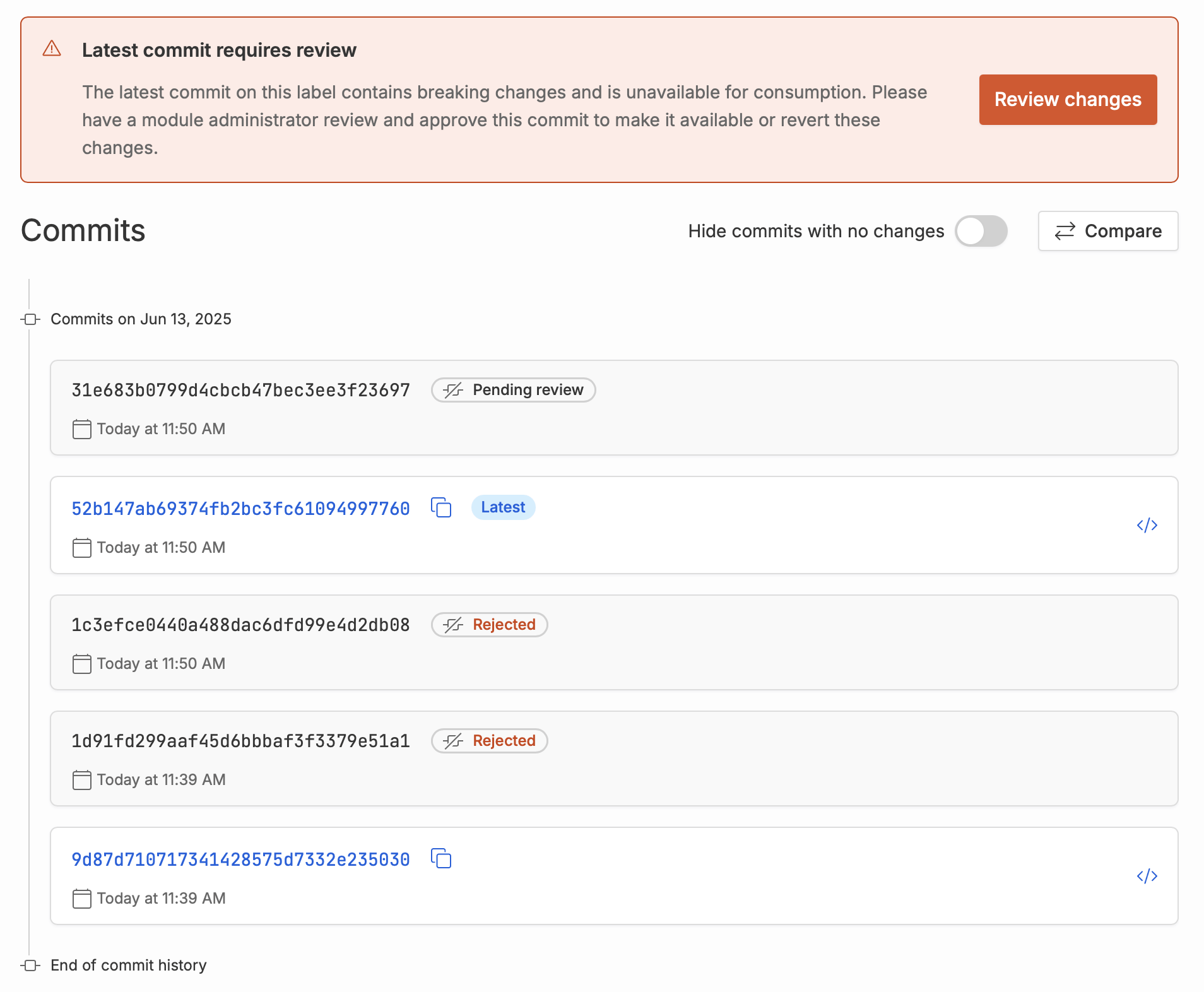
When the review concludes, the original committer is emailed the decision (approved or rejected).
Permissions#
| Action | Required role |
|---|---|
| Enable or disable review flow on a BSR instance | BSR admin |
| Approve or reject pending commits | Repository or module admin |
| Receive pending-commit email notifications | Repository or module admin and above |
| See the pending-commit banner in the BSR UI | Any signed-in user with read access |
Enable review flow#
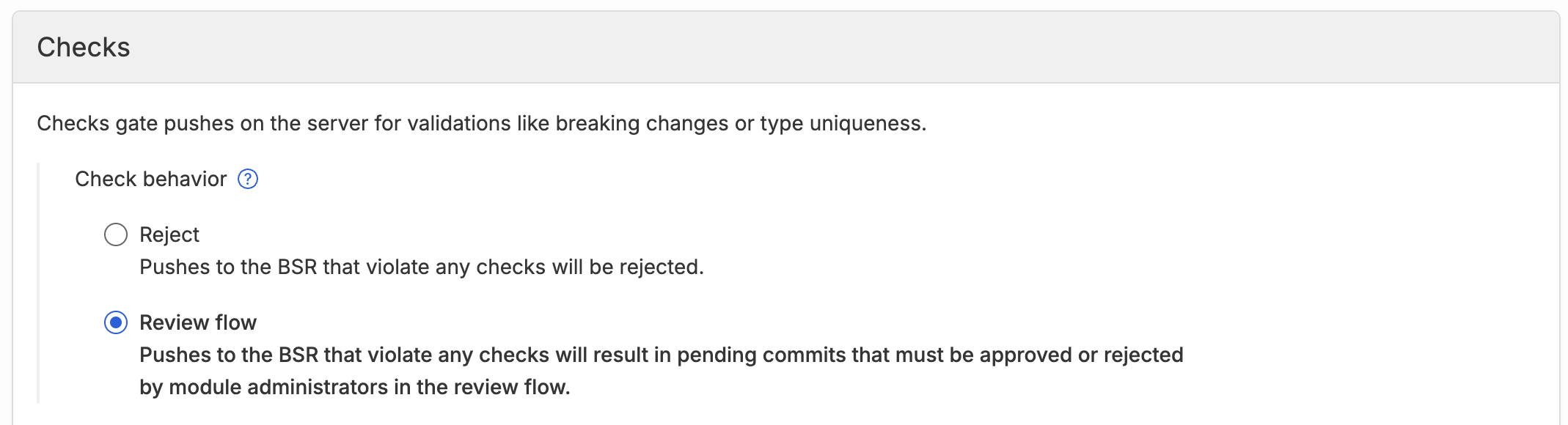
- Open the admin panel and select Checks under Settings.
-
Choose Review flow for Check behavior.
Review a pending commit#
A reviewer works through pending commits one at a time and approves or rejects each:
-
Click Review changes in the notification, or open the repository’s Commits tab and click Review changes on the pending commit.
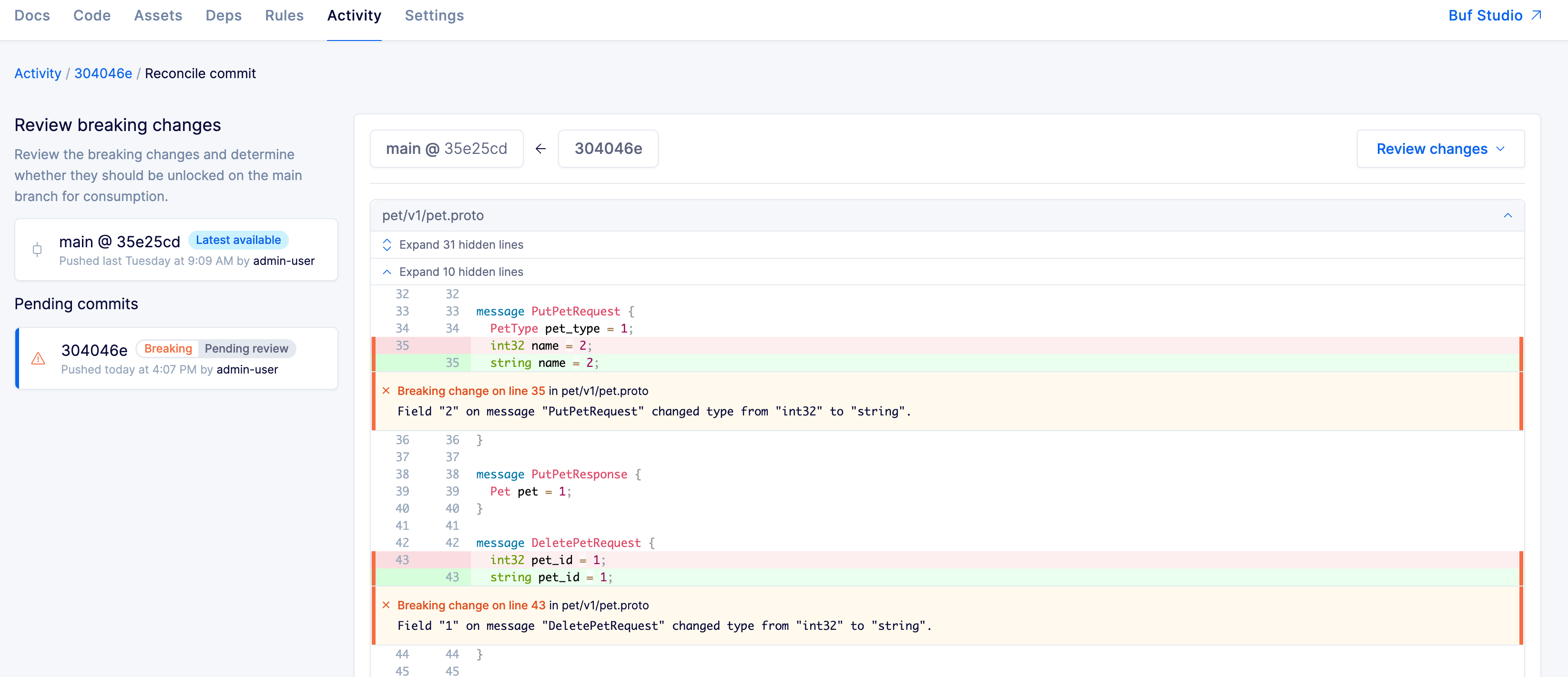
Pending commits appear in a queue on the left; the first commit’s diff is shown in the center with inline comments flagging each unsafe change.
-
For each commit, choose:
- Approve: the change is deliberate and any breakage to downstream consumers is acceptable. The default label can now advance to this commit.
- Reject: the default label won’t advance to this commit. Most rejected commits are followed by a follow-up commit from the original author (a Git revert or patch). Note that the commit itself isn’t deleted; references that already point at it (explicit commit hashes, non-default labels that pre-dated the rejection) still resolve.
The approve/reject decision is permanent for that commit. The BSR doesn’t expose a re-review flow. Pushes that produce identical content to a previously stored commit are deduplicated (the BSR returns the existing commit ID); to recover from a rejection, push different content as a new commit.
The diff baseline is the latest approved commit on the default label, not the most recent pending commit. This matters after a sequence of rejections: a new commit is diffed against the last good baseline, not against any rejected commits in between.
You can leave the review flow at any point and return later without losing completed reviews. The repository’s Commits tab reflects the current state (Pending, Approved, Rejected) for every commit.
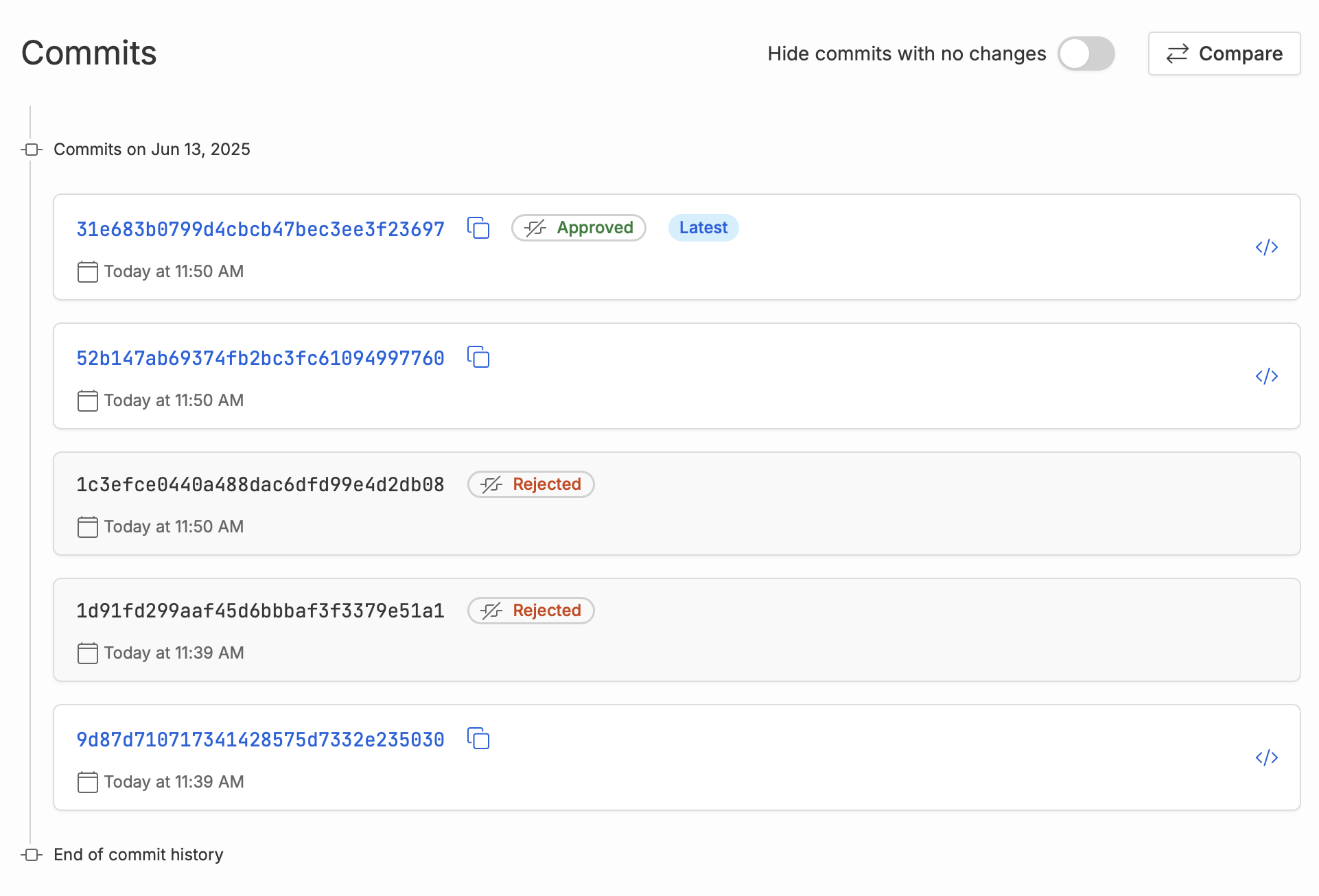
Stacked commits and auto-approval#
When a commit is pending, any commits pushed on top of it become pending as well. The BSR auto-resolves the stack as far as possible based on the reviewer’s decision on the head of the queue.
Take this sequence, where commit A is the current latest on the default label and B, C, D are pushed in order:
B: breaking change. Lands as pending.C: not a breaking change on its own. Pending because it’s stacked onB.D: breaking change. Pending because it’s stacked onC.
If the reviewer approves B:
Bclears and becomes the latest commit on the default label.Cis auto-approved (it has no failure of its own that wasn’t covered by approvingB) and becomes the latest.Dstays pending: it has its own breaking change and still needs review.
If the reviewer rejects B and the committer later pushes a fix E that passes against A:
B,C, andDare all rejected (they’re between the rejected commit and the fix).Ebecomes the latest on the default label.
Disable review flow#
Resolve pending commits#
Pending commits must be resolved before review flow can be turned off, so dangling pending commits don’t accumulate.
The admin panel lists every repository with pending commits and provides bulk approve and bulk reject actions. For repositories that need a closer look, click into the repository to review commits individually.
Switch to reject mode#
Once nothing is pending:
- Open the admin panel and select Checks under Settings.
-
Choose Reject for Check behavior.
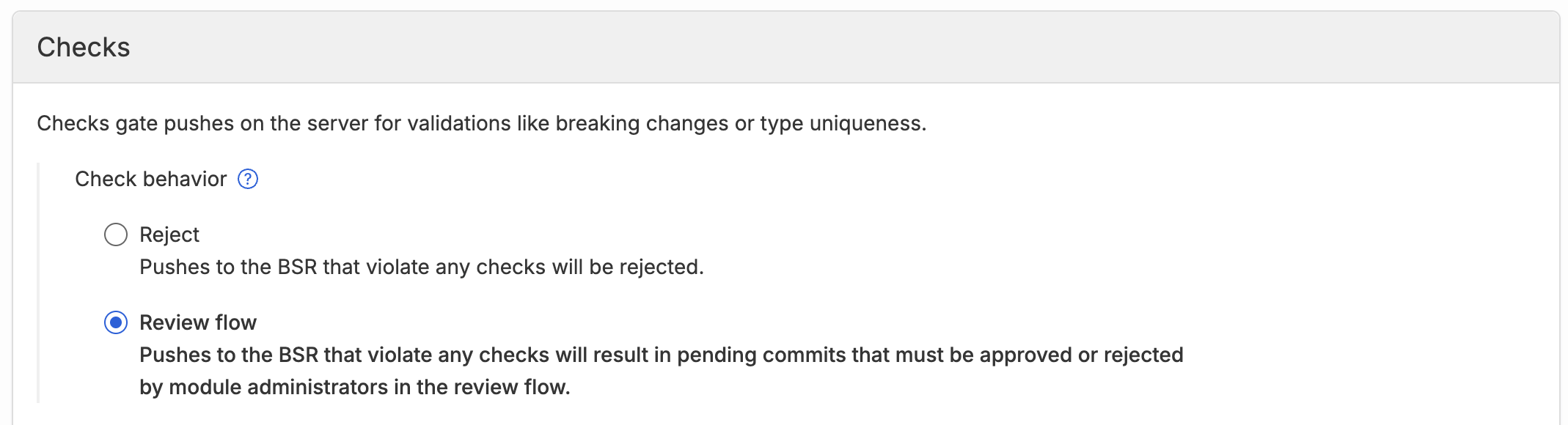
In reject mode, commits that fail a check are rejected at push time instead of entering review. Already-rejected commits from the prior review-flow phase remain unavailable to downstream consumers.